Book Templates
Book Templates
Book Templates
Quick Answers About Manuscript Templates and Margins
What is a book manuscript template?
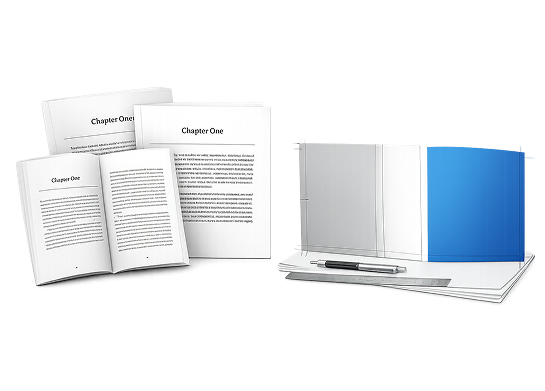
A manuscript template is a pre-formatted document that includes correct trim size, margins, and layout settings required for printing a book.
Why are margins important in book printing?
Margins ensure text remains readable and is not cut off during trimming or lost in the binding.
What tool is most commonly used for book templates?
Most self-publishing authors use Microsoft Word due to its accessibility and compatibility with print-on-demand platforms.
What Are Book Manuscript Templates?
Definition:
A book manuscript template is a pre-configured file that establishes proper formatting for a printed book, including:
- trim size (final page dimensions)
- margin and gutter spacing
- paragraph styles and headings
- headers, footers, and page numbers
Templates eliminate guesswork and ensure your file meets printing requirements from the start.
How Do Manuscript Templates Work?
Manuscript templates act as a formatting framework that standardizes your book layout.
When using a template:
- Page size is preset to match your trim size
- Margins are configured for readability and binding
- Styles maintain consistency across chapters
- Pagination is automatically applied
This ensures your manuscript is print-ready and production-safe.
Types of Book Templates for Self Publishing
How to Set Margins for a Book Manuscript
Margins control the spacing between your content and the edge of the page.
Key Margin Types
- Top margin → space at the top of the page
- Bottom margin → space at the bottom
- Outside margin → outer edge of the page
- Gutter margin → inner margin near the spine
Step-by-Step: Setting Margins in Microsoft Word
Step 1 - Set Your Trim Size
Match your final book dimensions (e.g., 5.5" × 8.5" or 6" × 9").
Step 2 - Apply Standard Margins
Recommended starting ranges:
- top: 0.75"–1"
- bottom: 0.75"–1"
- outside: 0.5"–0.75"
- gutter: 0.5"–0.75" (increase for thicker books)
Step 3 - Enable Mirror Margins
Mirror margins ensure:
- proper alignment of facing pages
- consistent gutter spacing across the book
Step 4 - Adjust for Page Count
- books under 150 pages → smaller gutter
- books over 300 pages → larger gutter
Expert Tip from DiggyPOD Print Technicians
At DiggyPOD, one of the most common issues seen in submitted files is insufficient gutter margins in thicker books.
Recommendation:
If your book exceeds ~250 pages, increase the gutter margin beyond standard settings to prevent text from disappearing into the binding.
This small adjustment significantly improves readability and perceived print quality.
Why Margins Matter in Book Printing
1. Prevent Text Loss
Margins ensure content is not trimmed or hidden in the spine.
2. Improve Readability
Proper spacing reduces eye strain and enhances the reading experience.
3. Ensure Print Compatibility
Correct margins are required by major print platforms and production workflows.
Common Margin Mistakes
- gutter margins too small for page count
- inconsistent margins across sections
- failure to use mirror margins
- designing without final trim size
Benefits of Using Book Templates
- ensures consistent formatting
- reduces production errors
- speeds up the publishing process
- produces professional-quality results
Templates function as a technical foundation for print-ready publishing.
Example Use Cases
Fiction Books
- standard margins
- optimized for long-form reading
Nonfiction Books
- wider margins for annotations
- structured layout for clarity
Workbooks and Journals
- expanded margins for writing space
- simplified layout
When Should You Use a Manuscript Template?
Use a template:
- at the beginning of formatting
- before exporting your final PDF
- before submitting to a printer
Early use prevents costly reformatting later in the process.
Key Takeaways
- Manuscript templates simplify book formatting and reduce errors
- Margins are critical for readability and print accuracy
- Paperback and hardcover books require different margin setups
- Gutter margin must increase as page count grows
- Using templates ensures a professional, print-ready file
FAQ Section
What is a manuscript template?
A manuscript template is a pre-formatted document that defines page size, margins, and layout for a printed book.
How do you set margins for a book?
Margins are set by defining top, bottom, outside, and gutter spacing based on trim size and binding requirements.
What is a gutter margin?
The gutter margin is the inner margin near the spine that ensures text remains visible after binding.
Do hardcover books need different margins?
Yes. Hardcover books require larger gutter margins due to their binding structure.
What are mirror margins?
Mirror margins align left and right pages properly by adjusting inner and outer margins for binding.
Summary
A manuscript template is a pre-formatted file that ensures correct page size, margins, and layout for printing a book.
Margins are essential in book formatting because they prevent text from being cut off and ensure readability near the spine.
Using templates and proper margin settings helps self-publishing authors create professional, print-ready books with fewer errors
Other Topics You May Be Interested In
People Also Ask
What is a book manuscript template?
A book manuscript template is a pre-formatted document that includes page size, margins, and layout settings required for printing. It helps authors create consistent, print-ready files without needing advanced design knowledge.
How do you set margins for a book manuscript?
Margins are set by defining top, bottom, outside, and gutter spacing based on the book’s trim size and binding type. Proper margins ensure text is readable and not lost during trimming or binding.
Why is the gutter margin important?
The gutter margin ensures that text near the spine remains visible after the book is bound. Without sufficient gutter space, text can be difficult to read or partially hidden.
What are mirror margins in book formatting?
Mirror margins adjust inner and outer margins so that facing pages align correctly in a printed book. This is essential for proper layout in bound books.
Do paperback and hardcover books use different margins?
Yes. Hardcover books require larger gutter margins due to their thicker binding structure, while paperback books use more standard margin settings.
What is the best software for manuscript templates?
Many authors use Microsoft Word because it supports custom page sizes, margin settings, and formatting styles needed for print-ready manuscripts.
When should you use a manuscript template?
A manuscript template should be used at the beginning of the formatting process to ensure the document meets printing requirements from the start.
What is a common margin mistake?
A common mistake is using a gutter margin that is too small, especially in longer books, which can cause text to disappear into the binding.
Next Chapter > Convert Word to PDF
We Are Proud of our Five Star Rating!
"The product was delivered exactly as promised in a timely manner. The customer service was also quite helpful. Overall I was quite satisfied and the person who received the books as a gift was delighted."
“I would like to thank you for all your help in getting my book published. I found the process to be very user friendly especially for a beginner like me. The books arrived and I was pleased on how professional they looked."